Tampilkan postingan dengan label Tutorial Blogger. Tampilkan semua postingan

30 Januari 2010

Total Comment pada Title Post


Hmmm .. After so long without posting articles about blog eventually with permission god .. I returned to add a bit about the article, finally after searching on google .. Hmmm interesting to see also the article that I can from www.o-om.com .. thank you before I say ..
Let us refer to what I get ..


this time about installing total comment on the post title .. What I mean here is the small icon image plus total comments coincided located next door. To be able to have a view like that very easy way. Just follow the tutorial below:

turn the page "EDIT HTML", then check the "Expand Template Widget" search code like below

<a expr:href='data:post.url'><data:post.title/></a>

if you've met, lived aja Copy-paste all the code below and place it under the code above.

<b:if cond='data:blog.pageType != &quot;item&quot;'>
<img border='0' src='https://blogger.googleusercontent.com/img/b/R29vZ2xl/AVvXsEisgWK8msa0cAFOf6eRiAXPiwuznF51GoxKXOOSus2rywLKcA0sBBwW7XxDt2hJ8mF8kAGe7rLryOryFBUUA9SzVuYzxdfxQpj81240qnzrprhyGe_BrFEHaAlAlOihixpV9NjVAehlpXhN/s400/icon_comments.png'/>
<a expr:href='data:post.addCommentUrl' expr:onclick='data:post.addCommentOnclick'><b:if cond='data:post.numComments == 1'>1 <b:else/><data:post.numComments/></b:if></a>
</b:if>

finished, I hope can help .. bye2

»»  Readmore. Read more...

21 Desember 2009

Tutorial Blogger how to install the Meta Tag Keyword and description on Blogger

There are many SEO techniques that can be applied to optimize your bloggers. Like to build backlinks, optimize content, install meta tags, and sign the blog to the directory or search engine. of all the above techniques, the easiest way is to apply meta tags installed. Place the meta tag on the blog just like to give identity to our blog. Purpose is to make search engines more easily recognize the contents of our blog. Since the first time that the crawl or traced on our blog title is part blog, so it would be nice if we attach a description or keywords associated with the contents

of our blogall right follow me now..hahahhaa

1. Open blogger. Layout -> Edit HTML

2. Put the script below meta tag under the code <title><data:blog.pageTitle/></title>

<meta name="description" content="description blog"/>
<meta name="keywords" content="keywords"/>
<meta name="robots" content="index follow"/>

Replace red printed writing in accordance with the following explanation:

description blog : explanation of your blog. Example: "tutorials make blogs for bloggers". Try the sentence no longer than 150 characters

keywords : content with a keyword or keywords related to your blog. Example: "blogger tips, blogger tutorial, tutorials blog". Try not to repeat more than 1 word 3 times and did not fill the keywords that are not relevant to the content of your blog. For example your blog is about travel and then you give the keyword "free download, nude photos, video porn" which is popular on the internet keyword. Because this will be considered spamming.

index follow means asking for spiders to index or browse the links on the page blog. If you do not want spiders to index the link on your blog page. Use the command "noindex nofollow".

3. Save Template. Done.


hopefully helpful
»»  Readmore. Read more...

16 Desember 2009

Tutorial Blogger How to make Banner Box


1. First, go to the Edit Html page, then enter the following CSS code under the code <b:skin><![CDATA[
#Box-Banner-ads {
margin: 0px;
padding: 5px;
text-align: center;
}
#Box-Banner-ads img {
margin: 0px 4px 4px 0px;
padding: 3px;
text-align: center;
border: 1px solid #c0c0c0;
}
#Box-Banner-ads img:hover {
margin: 0px 4px 4px 0px;
padding: 3px;
text-align: center;
border: 1px solid #333;
}
2. then create new page elements of your stay .. then enter the code below.
<div id="Box-Banner-ads">
<a target="_blank" href="http://i768.photobucket.com/albums/xx321/aagunks_2009/unomo.gif"><img border="0" alt="ads" src="http://i768.photobucket.com/albums/xx321/aagunks_2009/unomo.gif"/></a>
<a target="_blank" href="http://i768.photobucket.com/albums/xx321/aagunks_2009/unomo.gif"><img border="0" alt="ads" src="http://i768.photobucket.com/albums/xx321/aagunks_2009/unomo.gif"/></a><a target="_blank" href="http://i768.photobucket.com/albums/xx321/aagunks_2009/unomo.gif"><img border="0" alt="ads" src="http://i768.photobucket.com/albums/xx321/aagunks_2009/unomo.gif"/></a><a target="_blank" href="http://i768.photobucket.com/albums/xx321/aagunks_2009/unomo.gif"><img border="0" alt="ads" src="http://i768.photobucket.com/albums/xx321/aagunks_2009/unomo.gif"/></a>
</div>
For the number of ads you live add or subtract according to the code below. Do not forget to replace the red with your own URL address.
<a target="_blank" href="http://unomo-tutorial.blogspot.com"><img border="0" alt="ads" src="http://unomo-tutorial.blogspot.com/Banner2.gif"/></a>
hopefully not wrong.
»»  Readmore. Read more...

14 Desember 2009

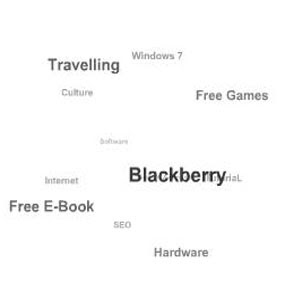
a Flash Animated Label cloud for blogger


another one of my tutorial....


name label cloud animation, what's that animated label cloud .. for example I have a label that can be circled very interesting indeed for the try .. especially not so difficult to try ... we started it .. properly follow the well ...

> Go to your blog Dashboard


> Click the Layout


> Then select Edit HTML


> Put a check in "Expand Widget Templates"


> Find the code below:


<b:section class='sidebar' id='sidebar' preferred='yes'>


> Once found, place the following code under this code:


<b:widget id='Label1' locked='false' title='Kategori' type='Label'><b:includable id='main'><b:if cond='data:title'><h2><data:title/></h2></b:if><div class='widget-content'><script src='http://halotemplates.s3.amazonaws.com/wp-cumulus-example/swfobject.js' type='text/javascript'/><div id='flashcontent'>Blogumulus by <a href='http://www.roytanck.com/'>Roy Tanck</a> and <a href='http://www.bloggerbuster.com'>Amanda Fazani</a></div><script type='text/javascript'>var so = new SWFObject(&quot;http://halotemplates.s3.amazonaws.com/wp-cumulus-example/tagcloud.swf&quot;, &quot;tagcloud&quot;, &quot;240&quot;, &quot;300&quot;, &quot;7&quot;, &quot;#ffffff&quot;);// uncomment next line to enable transparency//so.addParam(&quot;wmode&quot;, &quot;transparent&quot;);so.addVariable(&quot;tcolor&quot;, &quot;0x333333&quot;);so.addVariable(&quot;mode&quot;, &quot;tags&quot;);so.addVariable(&quot;distr&quot;, &quot;true&quot;);so.addVariable(&quot;tspeed&quot;, &quot;100&quot;);so.addVariable(&quot;tagcloud&quot;, &quot;<tags><b:loop values='data:labels' var='label'><a expr:href='data:label.url' style='12'><data:label.name/></a></b:loop></tags>&quot;);so.addParam(&quot;allowScriptAccess&quot;, &quot;always&quot;);so.write(&quot;flashcontent&quot;);</script><b:include name='quickedit'/></div></b:includable></b:widget>


> Click SAVE TEMPLATE

> Done

Description:

* Width: 240px

* Height: 300px;

* Backgrund Color: White

* Text color: gray

* Font Size: "12"


Change the Width and Height size:

var so = new SWFObject("http://halotemplates.s3.amazonaws.com/wp-cumulus-example/tagcloud.swf", "tagcloud", "240", "300", "7", "#ffffff");


Width: 240px

Height: 300px


Change the background color:


var so = new SWFObject("http://halotemplates.s3.amazonaws.com/wp-cumulus-example/tagcloud.swf", "tagcloud", "240", "300", "7", "#ffffff");


Background color: # ffffff (White)

Changing the text color:


so.addVariable("tcolor", "0x333333");


Text Colors: 333,333 (Gray)


Change the font size:


so.addVariable("tagcloud", "<tags><b:loop values='data:labels' var='label'><a expr:href='data:label.url' style='12'><data:label.name/></a></b:loop></tags>");


Font Size: "12"


»»  Readmore. Read more...

29 November 2009

Tutorial Blogger Who is tracing our article

This one I can be a good site results from cyberspace haunts hahahahahsitus .. what I mean he is www.copyscape.com This site aims to find out who had plagiarized an article on our blog. The way is easy, do not need to sign up, stay put the address / URL of your blog keep push the button "GO" wait a minute .. Abracadabra comes after that anyone who trace our article...

for the free version we can only know some of it, so can not know all the copy paste our blog...

»»  Readmore. Read more...

Tutorial Blogger Changing Icon in Address Bar

If we open a website or blog so often we find there is a picture or icon in the address bar
For you are not satisfied with the icon / picture, you can replace it with a picture in accordance with your wishes...

curious .. hmm but how very easy ... hahahahhaahah

1.)
very simple way, namely by making a picture (gif, jpg, ico, etc.) with a size of approximately 24x42 pixels to 32x32 pixels (actual size free really, but let a small file and open process faster)


2.)
Edit HTML" trus tempatkan script berikut sebelum kode">go to "Layout -> Edit HTML" trus place the following script before the code </head>

<link href='http://toko-unomo.blogspot.com.gif' rel='SHORTCUT ICON'/>

3.)
replace the Red letters with the location where you save the picture You can save drawings in photobucket and also in imageshack..OK it is very simple

source trik-tips.blogspot.com.. thanks before
»»  Readmore. Read more...

Tutorial Blogger How to Writing Script / Code in Articles Blog

There are several ways to write the code into your blog, among others are: two just well .. he, he, he3

1) Use software web design software such as Macromedia Dreamwaver, Microsoft Frontpage, Namao Web Editor. Or it could be a software like Post2Blog etc. blogtools.
Write all the code in the areas of design, then copy the code from the HTML Code area. codes in these areas is the HTML code that must be posted.

2)
Do not bother .. is grateful to one of these sites http://centricle.com/tools/html-entities/ insert your code into the box provided, kalo is press the "Encode", then you will get a new script posted on the blog for you. easy and quick it..hahahahahah

»»  Readmore. Read more...

Tutorial Blogger Automatic Read More + Thumbnail Image

Just follow the steps below to make it.. Ok

1. Edit HTML">Log in Blogger> on Dasboard select Layout> Edit HTML

2. Check / Check List used to "expand widget templates"

3. Look for the code </head> then copy - paste the following code before the code


<script type='text/javascript'>var thumbnail_mode = "no-float" ;

summary_noimg = 430;

summary_img = 340;

img_thumb_height = 100;

img_thumb_width = 120;

</script>

<script src='http://coolwebbies.googlepages.com/summarypost.js' type='text/javascript'/>


You also can change the code according to your creativity


summary_noimg = 430; this code to cut / adjust height without images

summary_img = 340; this code to cut / high set with images

img_thumb_height = 100; code for high thumbnailnya image

img_thumb_width = 120; this code for the image width thumbnailnya


4. Now look for the code


<data:post.body/> careful of who was wearing read more automated reply not, usually there are two such code, so choose the first. if you've met a copy - paste the following code and replace with the following code

<b:if cond='data:blog.pageType != "item"'>


<div expr:id='"summary" + data:post.id'><data:post.body/></div>

<script type='text/javascript'>createSummaryAndThumb("summary<data:post.id/>");

</script> <span class='rmlink' style='float:right;padding-top:20px;'><a expr:href='data:post.url'> Read More </a></span>


</b:if>

<b:if cond='data:blog.pageType == "item"'><data:post.body/></b:if>

read more writings there you can change as you wish.. and SAVE

GOOD LUCK..!!!

source http://hitsuke.blogspot.com.... thanks before
»»  Readmore. Read more...

  © Blogger templates The Professional Template by Ourblogtemplates.com 2008

Back to TOP